Connect Judge.me so your assistant can tell shoppers what other customers think of a product, and so every 1 or 2 star review reaches your team as an alert.
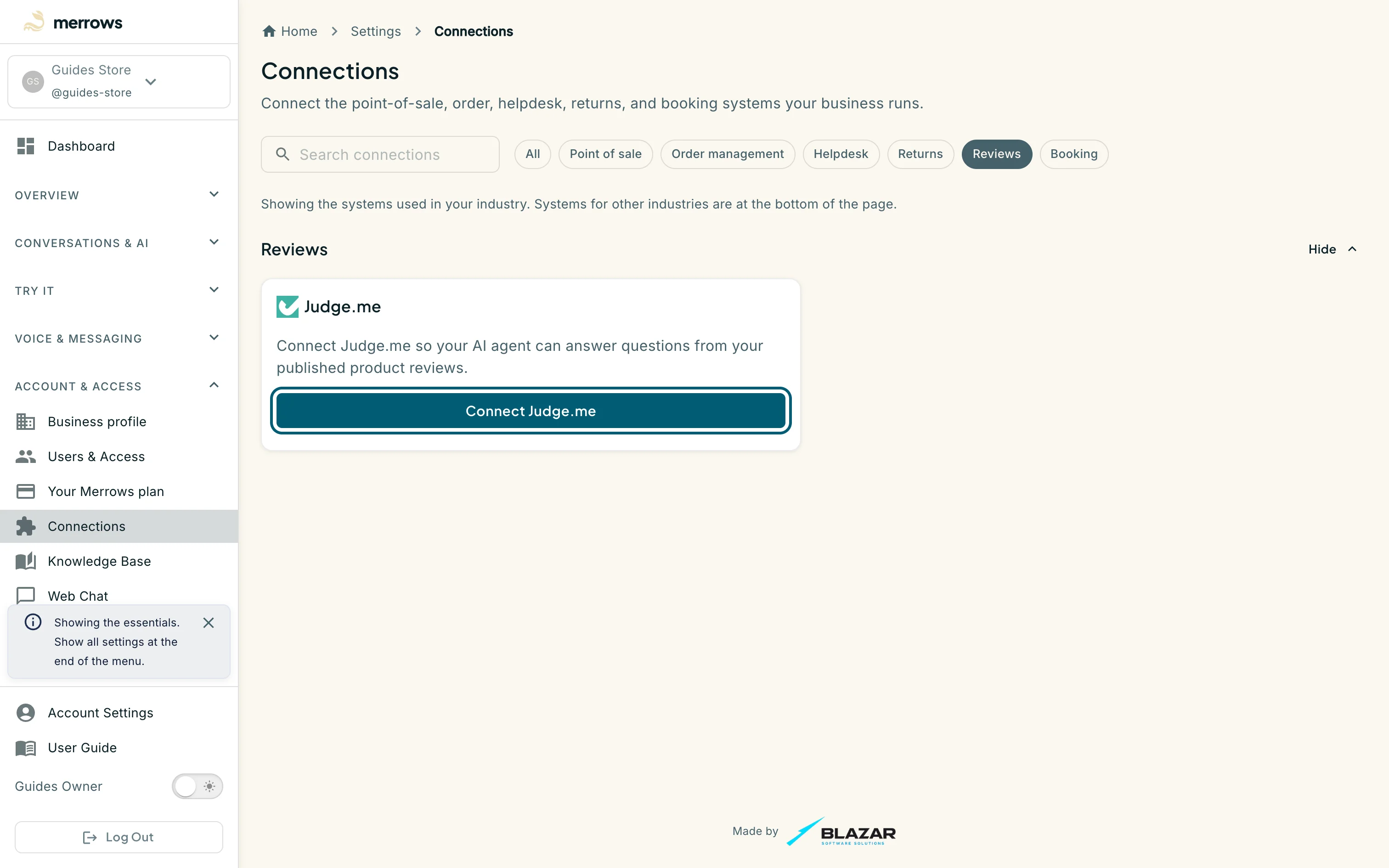
Action: Open Connections under Account & Access and click the Reviews filter, or go to https://portal.merrows.ai/settings/integrations.
What you should see: The Judge.me card says what the connection is for and shows a Connect Judge.me button.
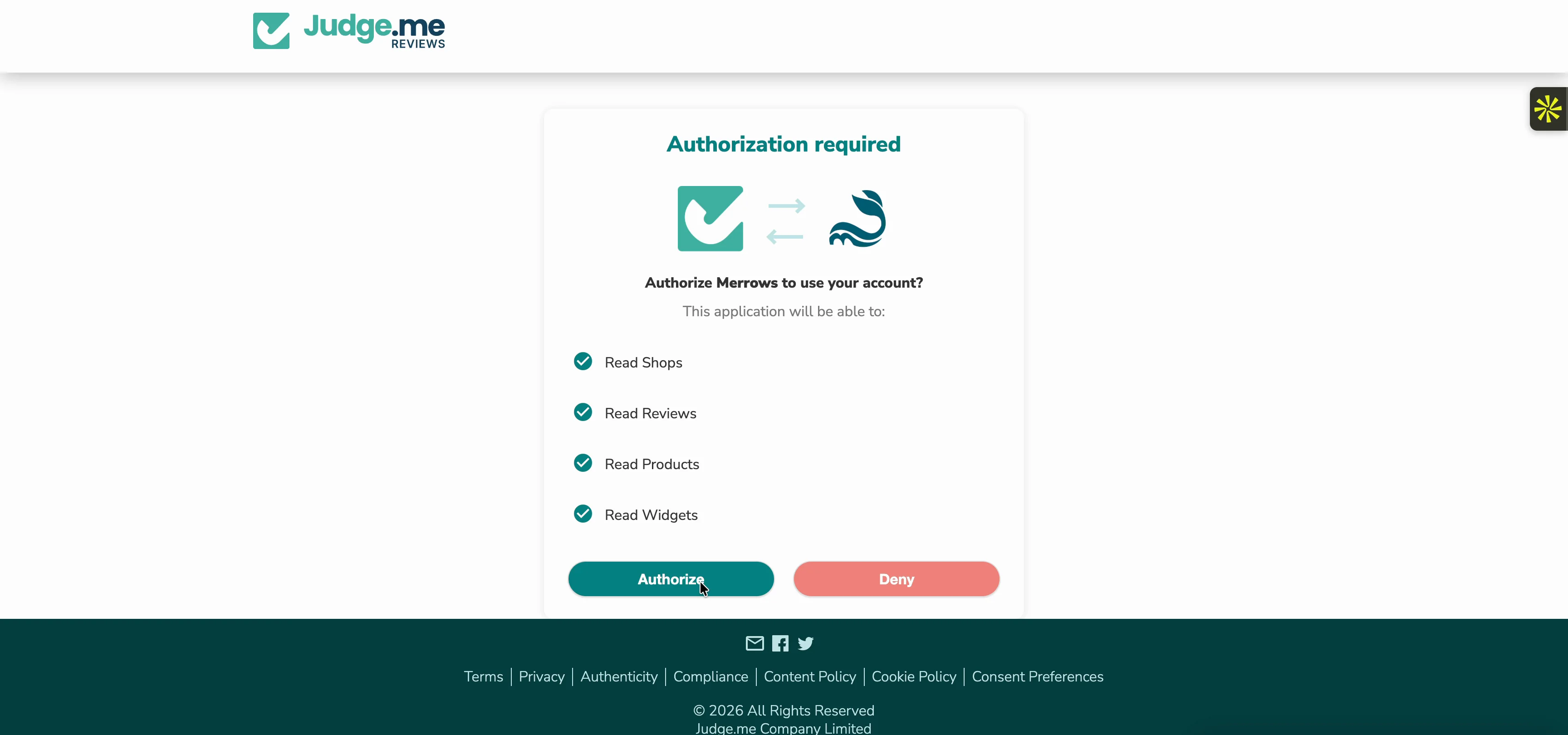
Action: Click Connect Judge.me. If Merrows asks for your store’s myshopify.com domain, enter it first. Sign in to Judge.me if it asks, then click Authorize.
What you should see: Judge.me lists the read access Merrows asks for: shops, reviews, products and widgets. Merrows never writes to Judge.me. After Authorize you come back to Connections with the message “Judge.me connected successfully.”
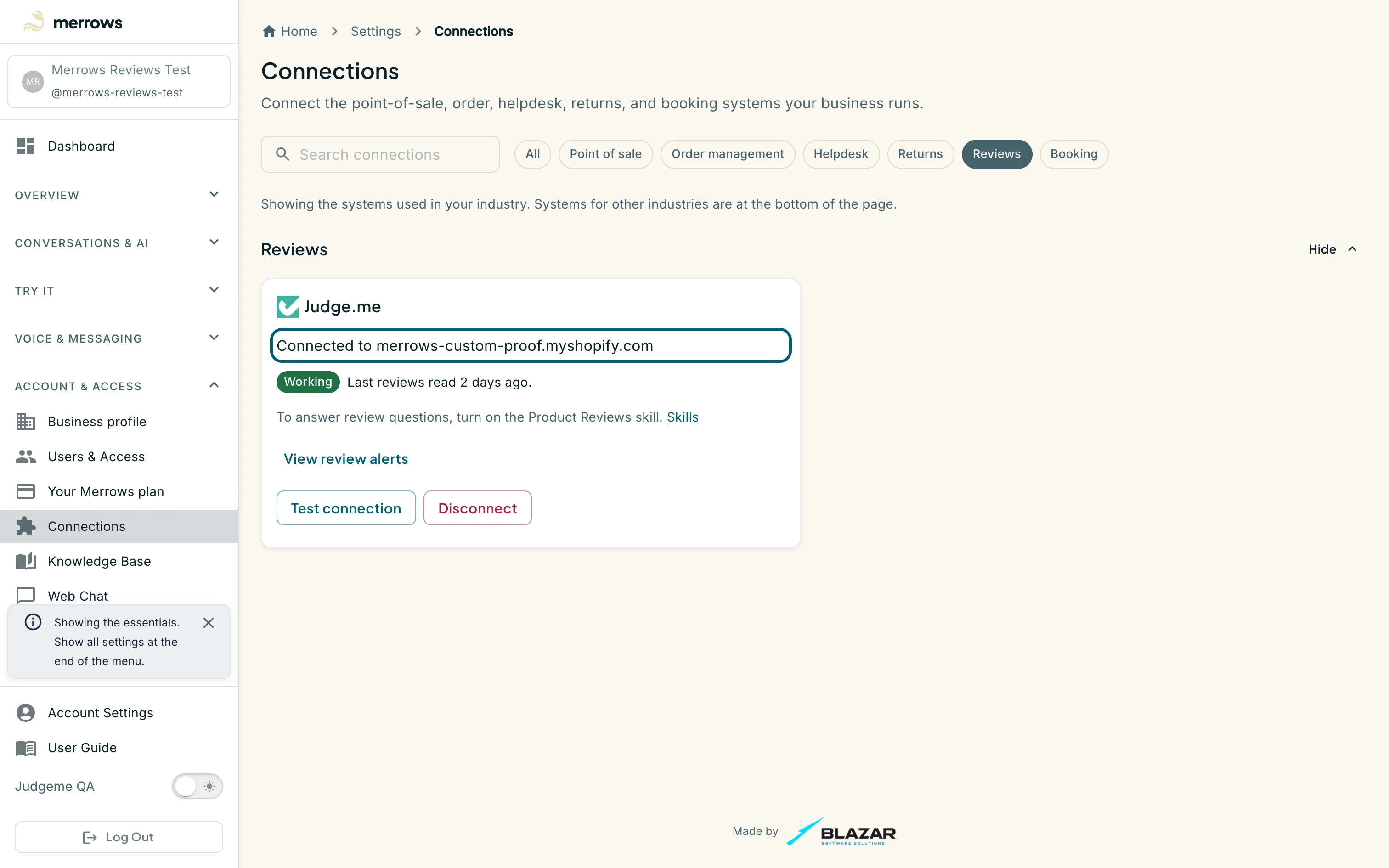
Action: Look at the Judge.me card.
What you should see: The card reads “Connected to” your store’s domain, with Working once Merrows has read your reviews. It has a Skills link, View review alerts, Test connection and Disconnect.
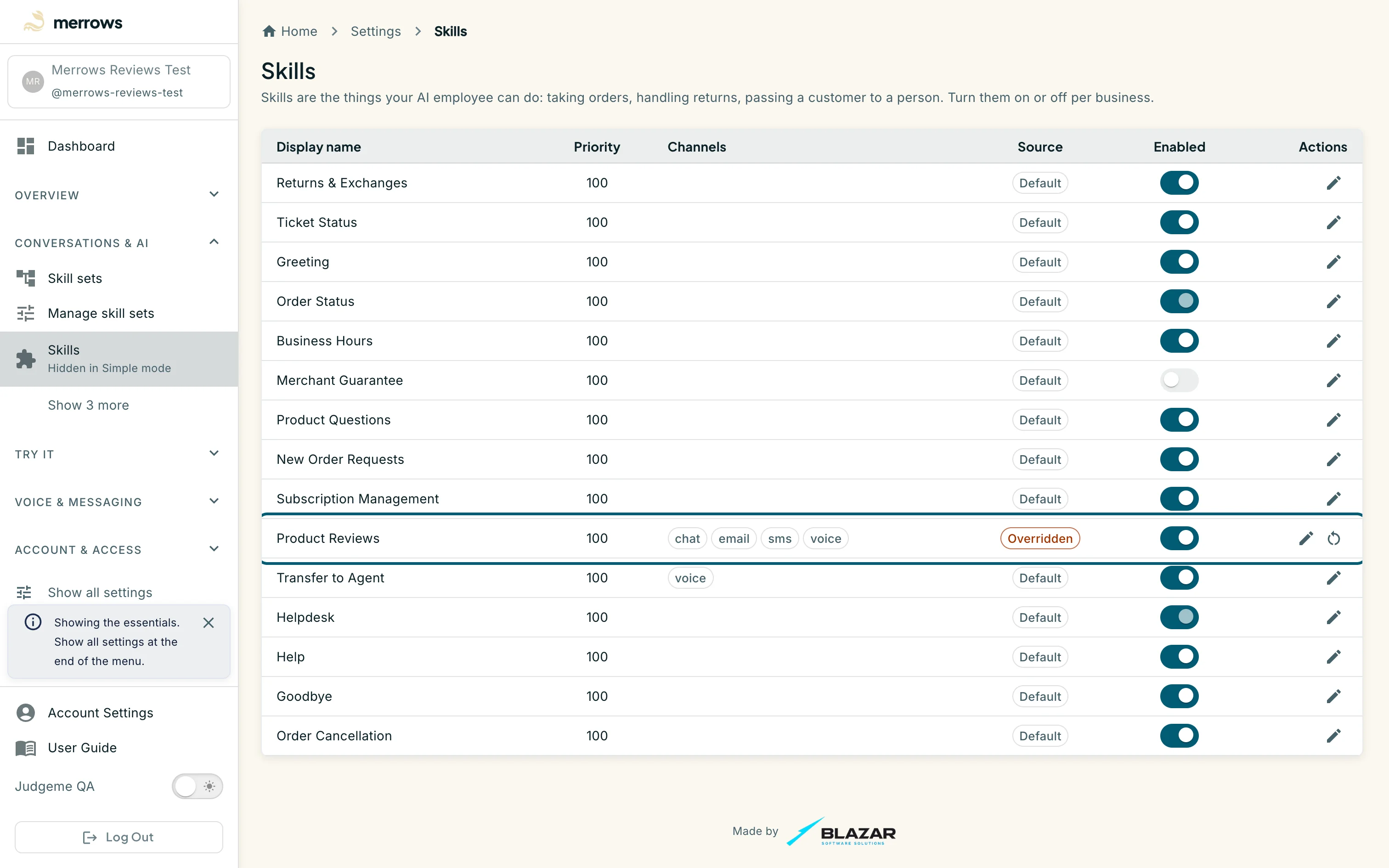
Action: Click Skills on the Judge.me card and turn on Product Reviews.
What you should see: Product Reviews is switched on for chat, email, text message and voice. Connecting Judge.me alone changes nothing a shopper hears; the assistant answers from reviews only once this skill is on.
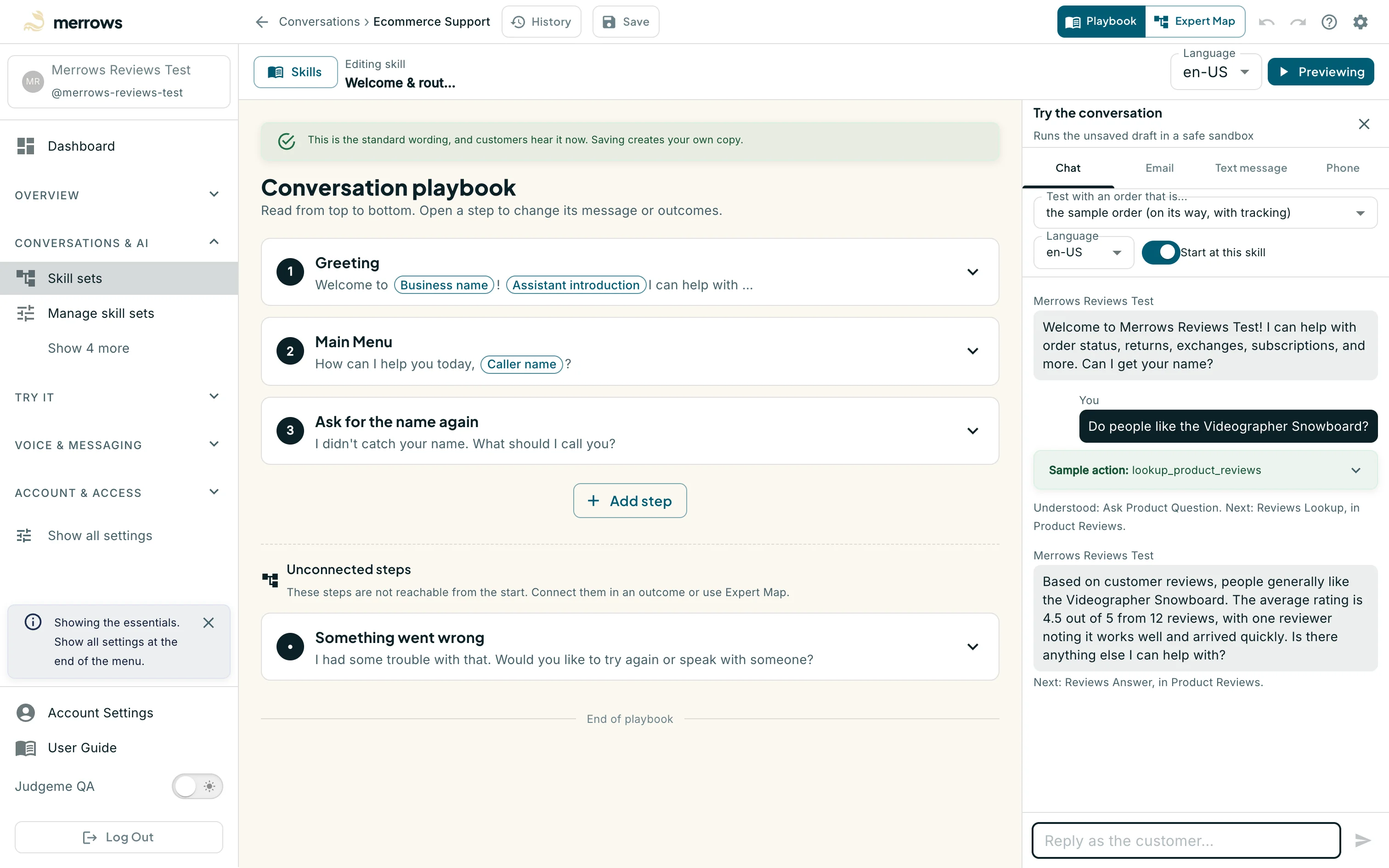
Action: Open Try it, click Text Chat and ask what customers think of one of your products, for example “Do people like the Videographer Snowboard?”
What you should see: The assistant answers with the average rating, how many reviews the product has, and what reviewers praise or complain about. The preview runs the review lookup on sample data, marked “Sample action”, so its rating and count are not your store’s. Customers on chat, email, text and calls hear your product’s real published reviews. When the question could mean more than one product, the assistant asks which one.
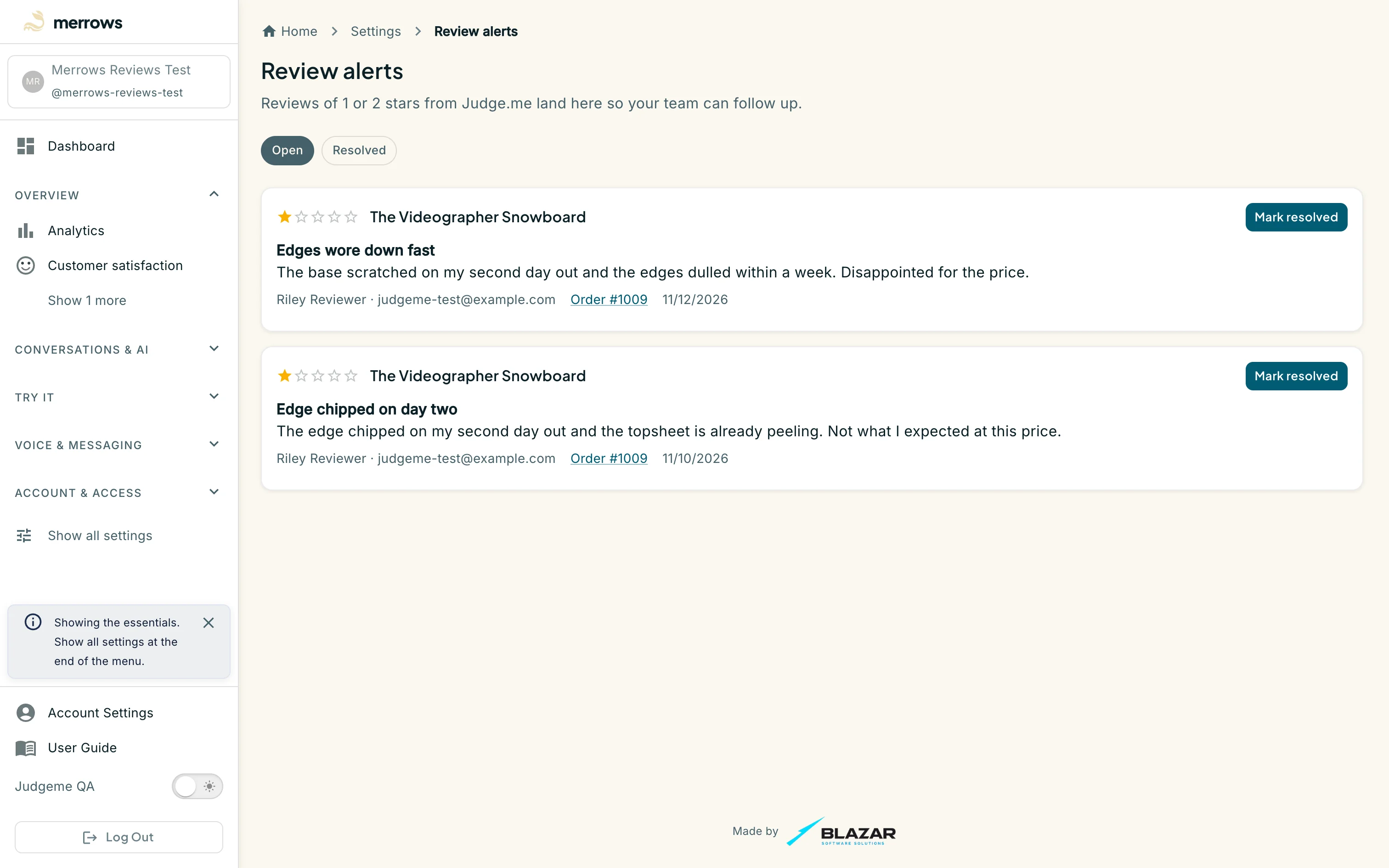
Action: Click View review alerts on the Judge.me card, or go to https://portal.merrows.ai/settings/review-alerts.
What you should see: Every 1 or 2 star review opens an alert with the rating, the product, the review, the reviewer and, when Merrows finds the shopper’s order in Shopify, a link to that order. Click Mark resolved once your team has followed up; the alert moves to the Resolved tab.