Get back into your account when you have forgotten the password, and know what happens to your other devices when you set a new one.
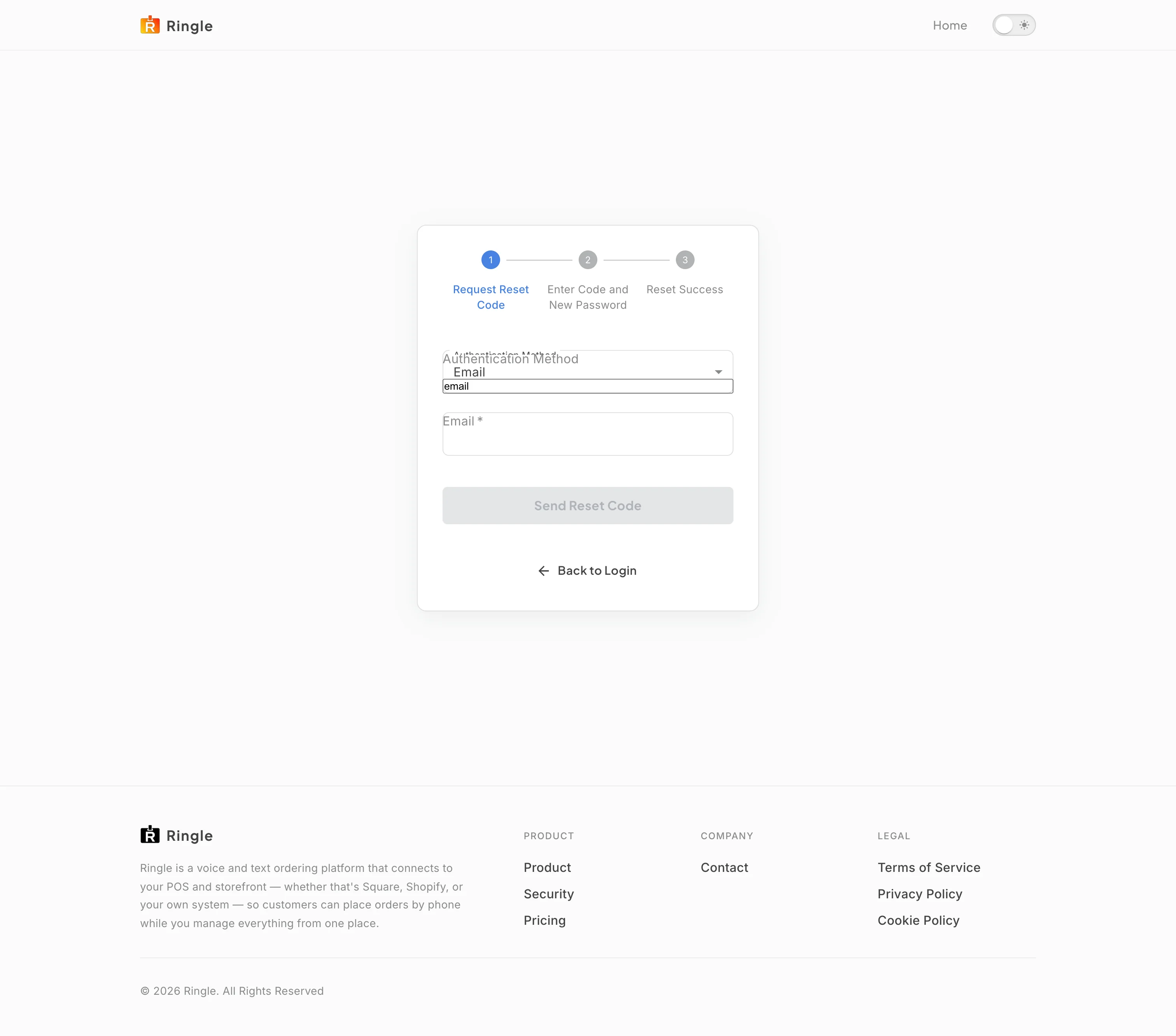
Action: Go to https://portal.merrows.ai/forgot-password, or click “Forgot your password?” on the login page.
What you should see: A three-step card shows Request Reset Code, Enter Code and New Password, and Reset Success. The first step asks for the Authentication Method (Email, or Phone if the account has a verified number) and the address, with a Send Reset Code button that stays disabled until the field is filled, and a Back to Login link.
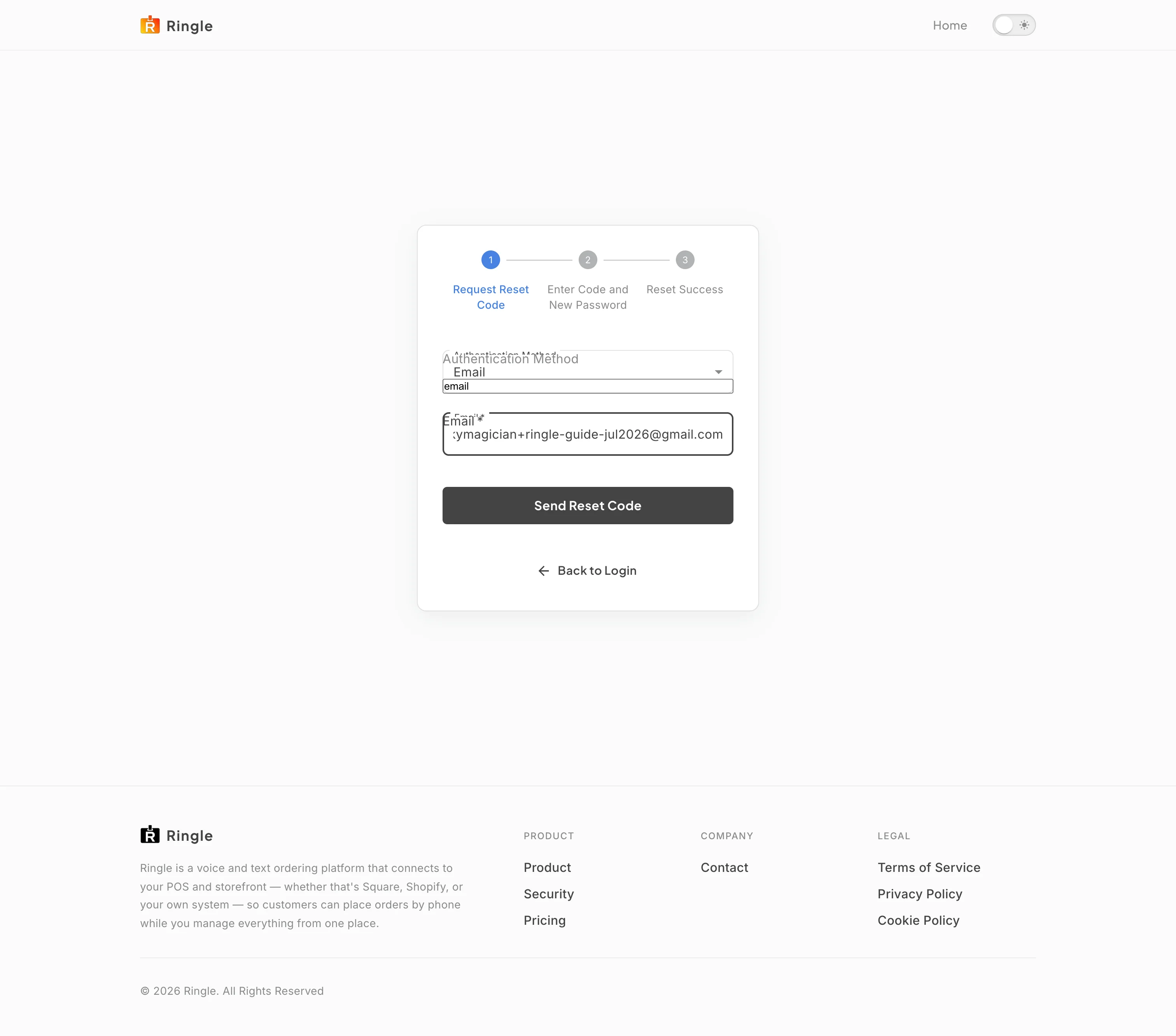
Action: Type the email address of your account and click Send Reset Code.
What you should see: A notice confirms the code was sent to the address, and the card moves to Enter Code and New Password: a Reset Code field, a New Password field with the rules under it (at least twelve characters, no spaces, and at least three of upper case, lower case, number and special character), a Confirm Password field, a Reset Password button that stays disabled until everything is filled, a Back button and a Back to Login link. The portal answers the same way whether or not the address exists, so a typo looks like a sent code; check the address if nothing arrives.
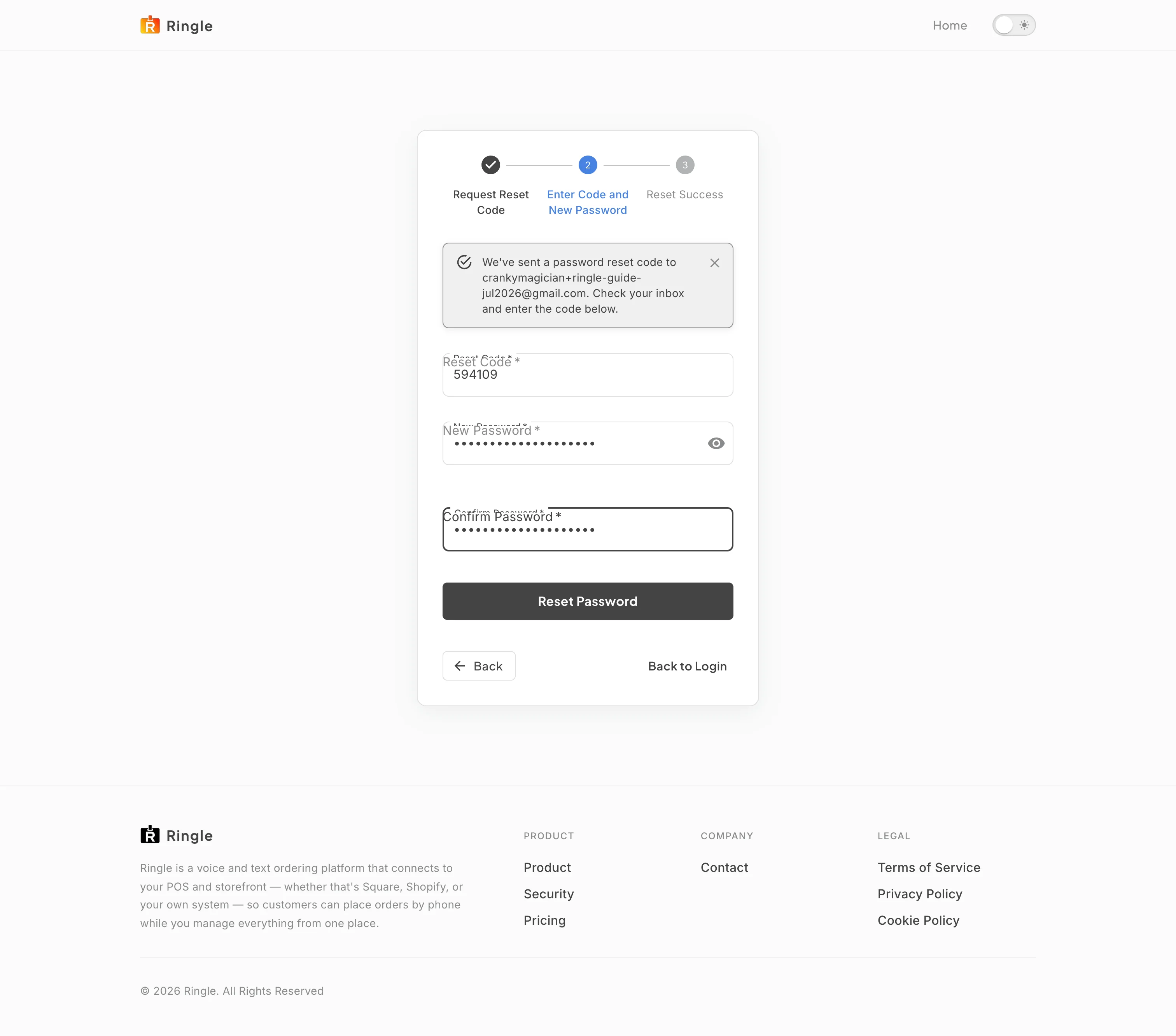
Action: Type the code from the email, choose a new password that meets the rules, confirm it, and submit.
What you should see: The card reaches Reset Success: “Your password has been reset successfully” with a Go to Dashboard button. Every device that was signed in to the account is signed out, so each one has to sign in again with the new password. The code is valid for ten minutes; a wrong or expired code shows an error and the previous step lets you request another.
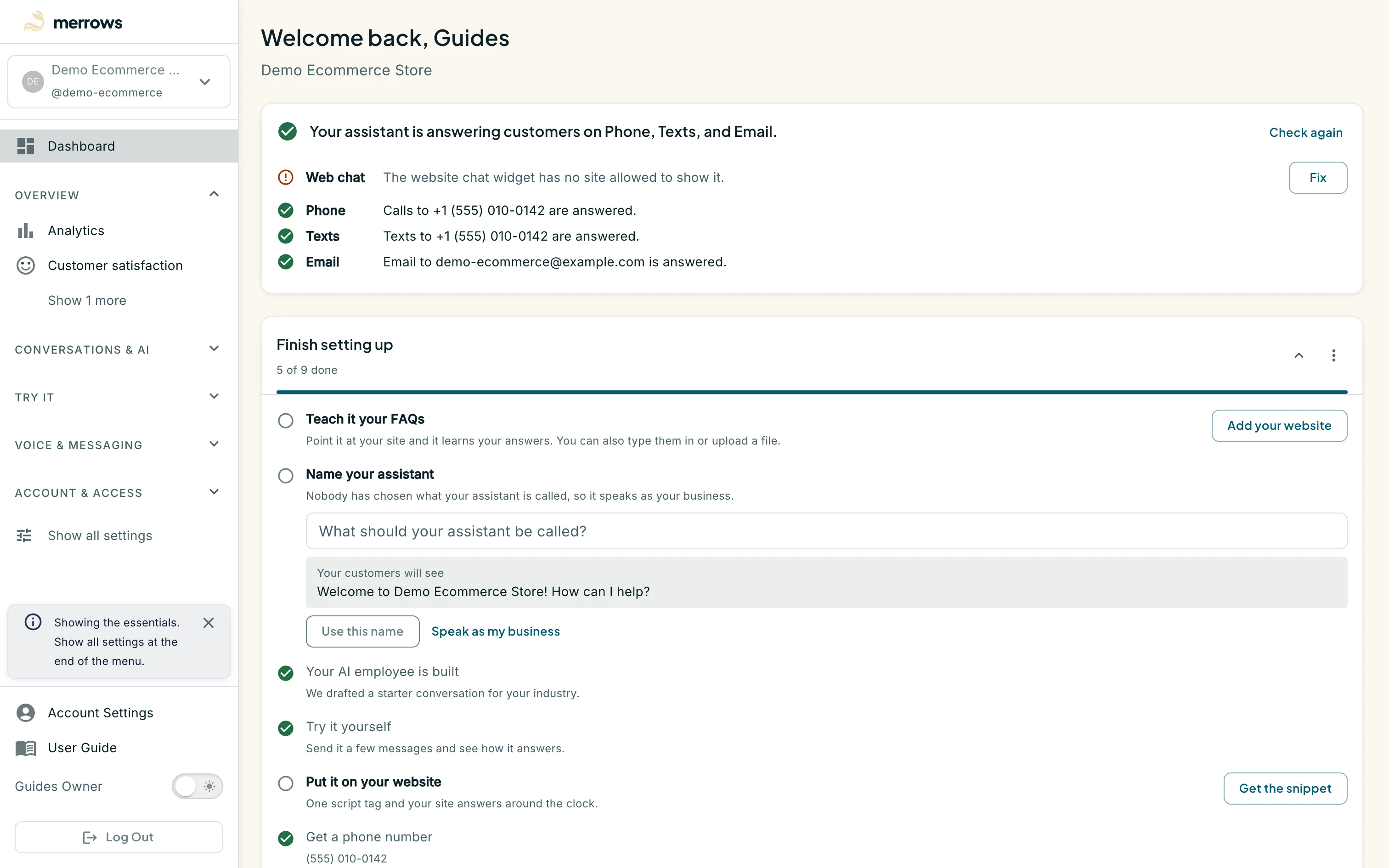
Action: Click Go to Dashboard.
What you should see: You are signed in on this device and the dashboard of your active business opens; an account that belongs to no business yet is taken to the setup page instead. On every other device the next sign-in asks for the new password, and if MFA is on for the account it still asks for the code from your authenticator app: a reset changes only the password.