Compare two versions of your workspace’s conversation. Create an A/B test, give it variants, decide how traffic is split between them, and read the result page.
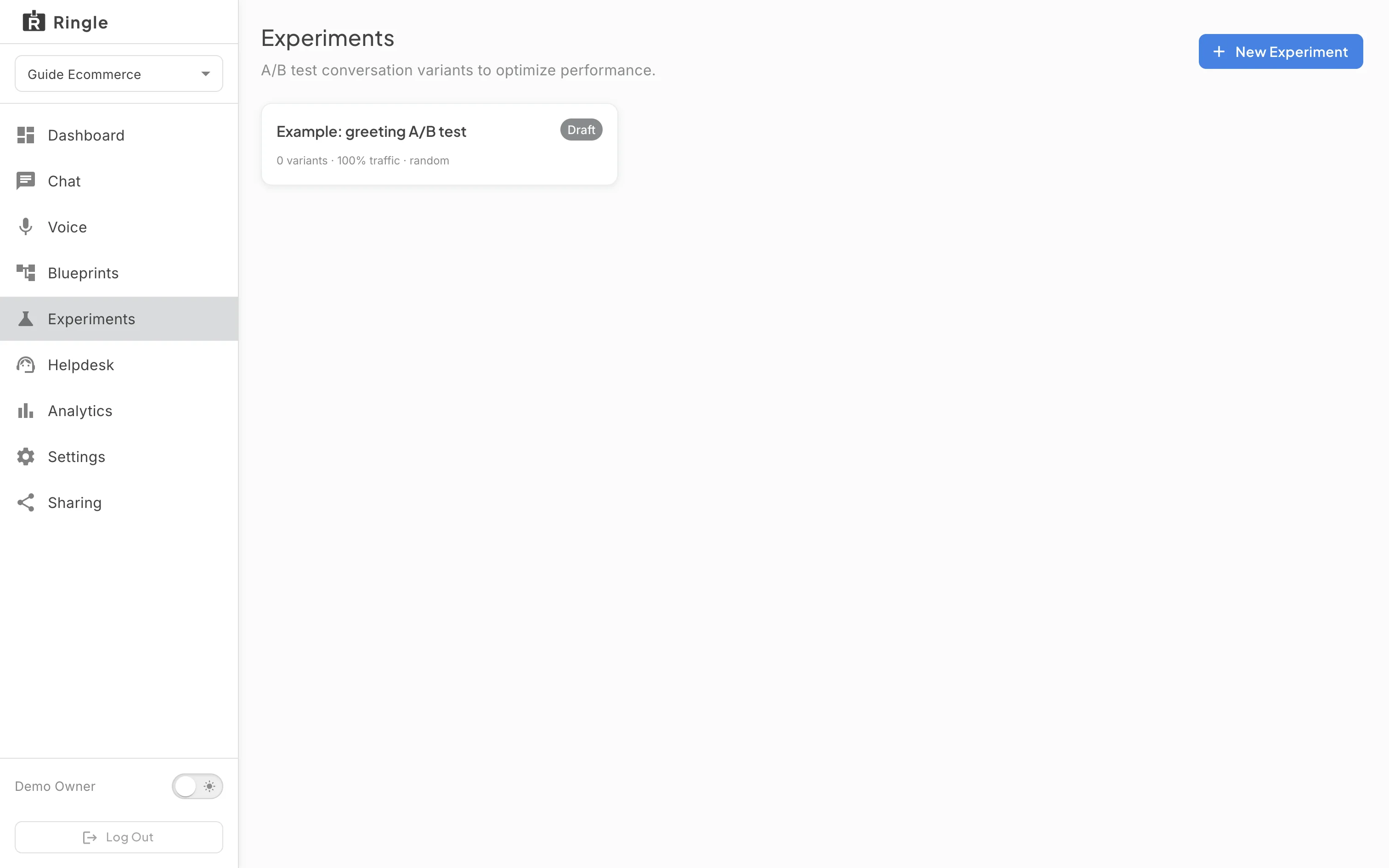
Action: Click “A/B tests” in the workspace sidebar.
What you should see: The page lists the workspace’s tests as cards, each with its name, status chip (Draft, Running or Concluded), the number of variants, the traffic share and the routing strategy. A new workspace carries one example test in Draft so the page is never empty. “New A/B test” opens the creation dialog.
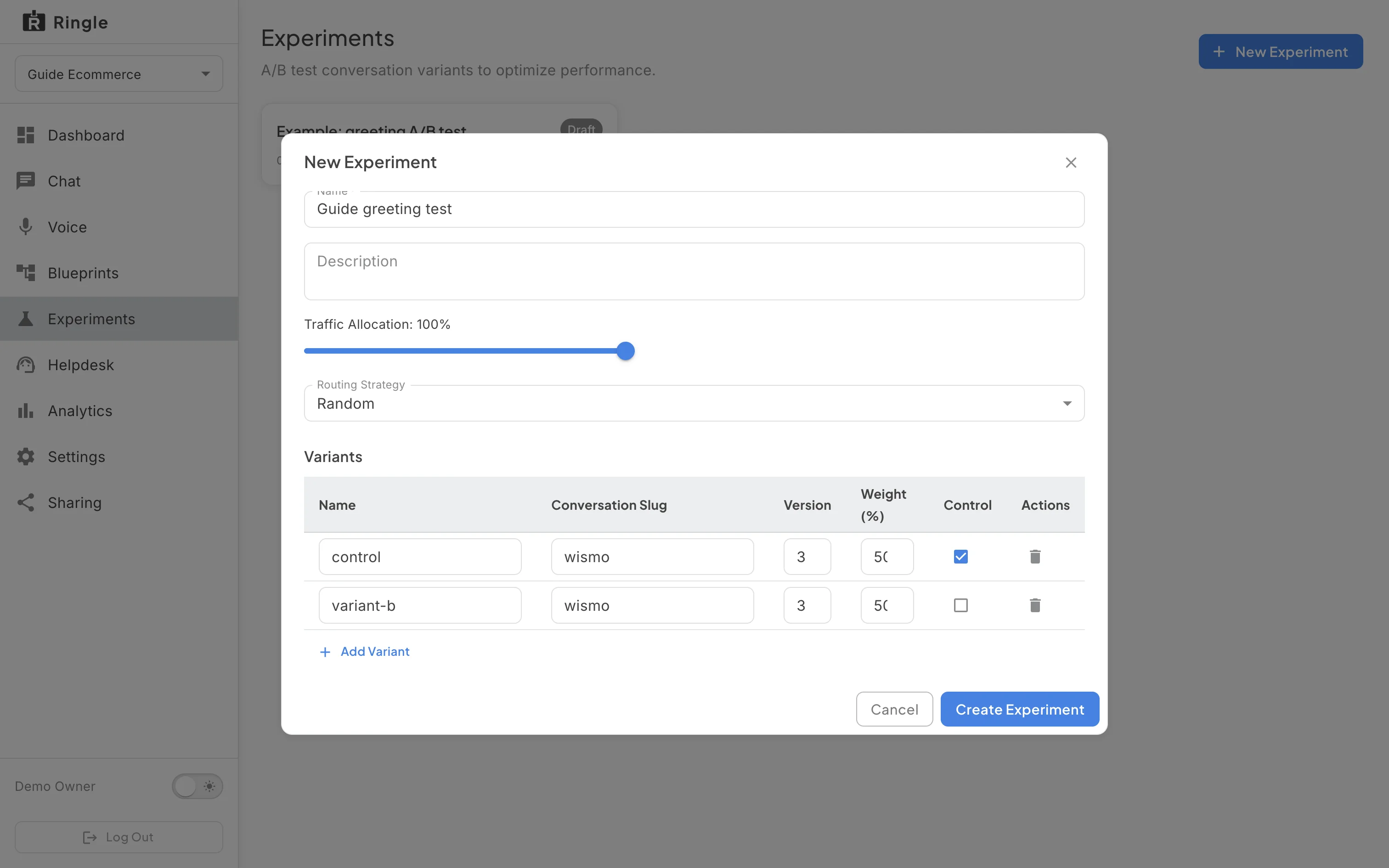
Action: Click “New A/B test” and type a name, for example “Greeting wording”.
What you should see: The dialog asks for a Name and an optional Description, shows the Traffic Allocation (the share of conversations that take part, 100% by default), a Routing Strategy, and a Variants list with an Add Variant button. A variant points at a version of the skill set, so the test compares published versions rather than loose edits.
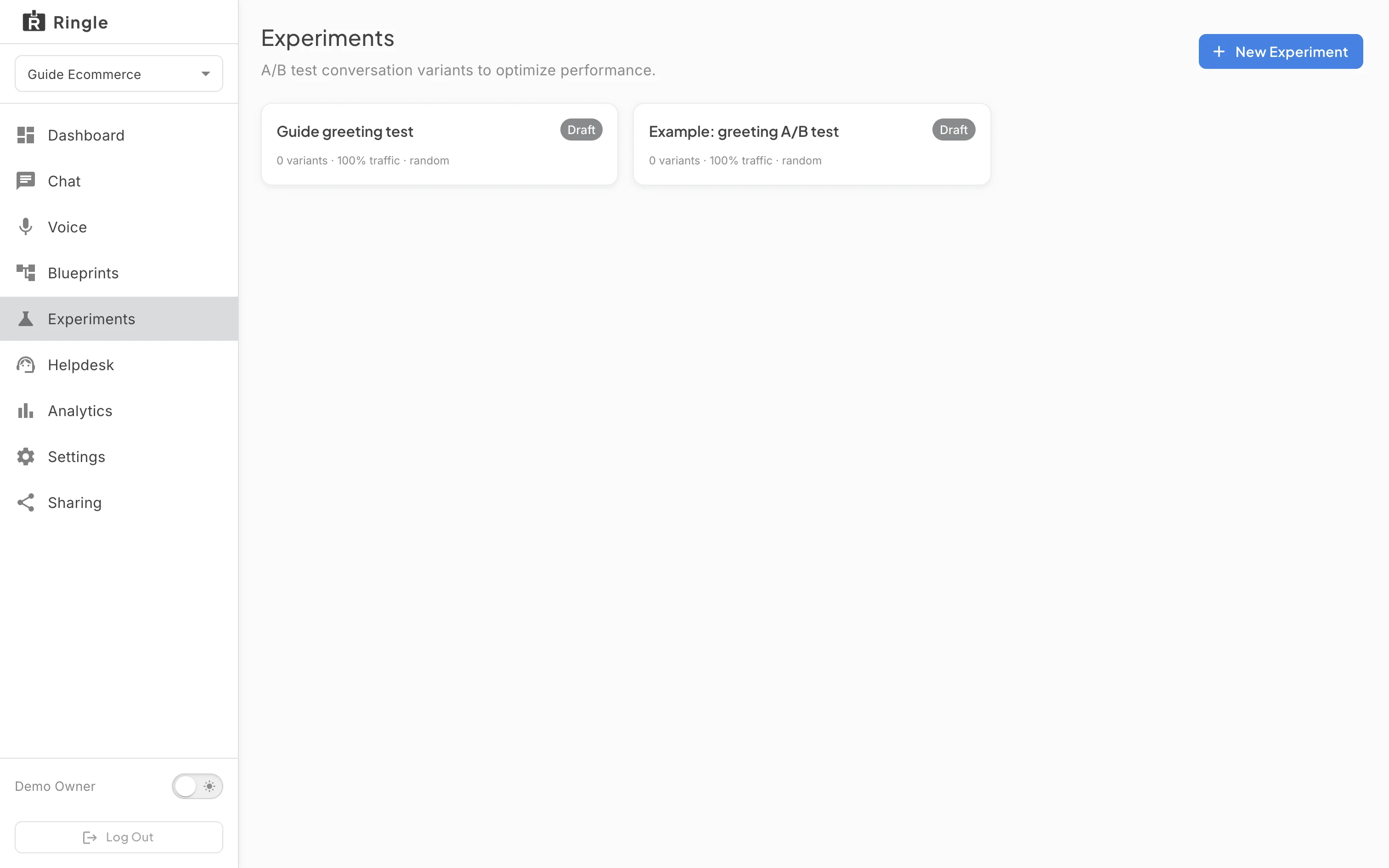
Action: Click “Create A/B test”.
What you should see: The dialog closes and the new test appears in the list as a Draft card with no variants, the full traffic share and the random routing strategy. Nothing routes until the test is started.
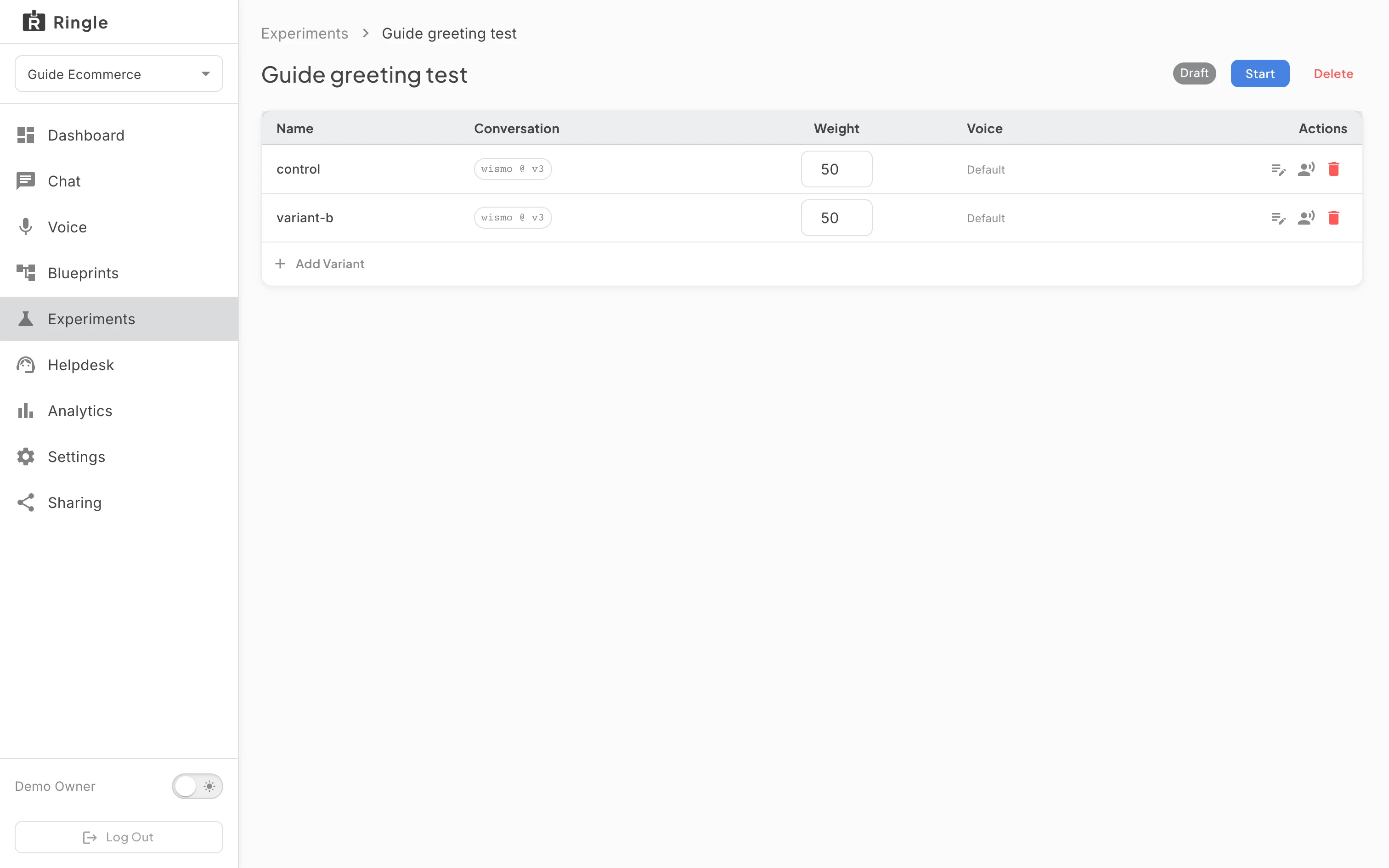
Action: Click the new card.
What you should see: The detail page shows the name and status with Start and Delete buttons and a variants table (name, conversation, weight, voice) with Add Variant. A notice reminds you that the variants’ weights must add up to 100%; Start stays disabled until they do, and a test needs at least two variants to compare.
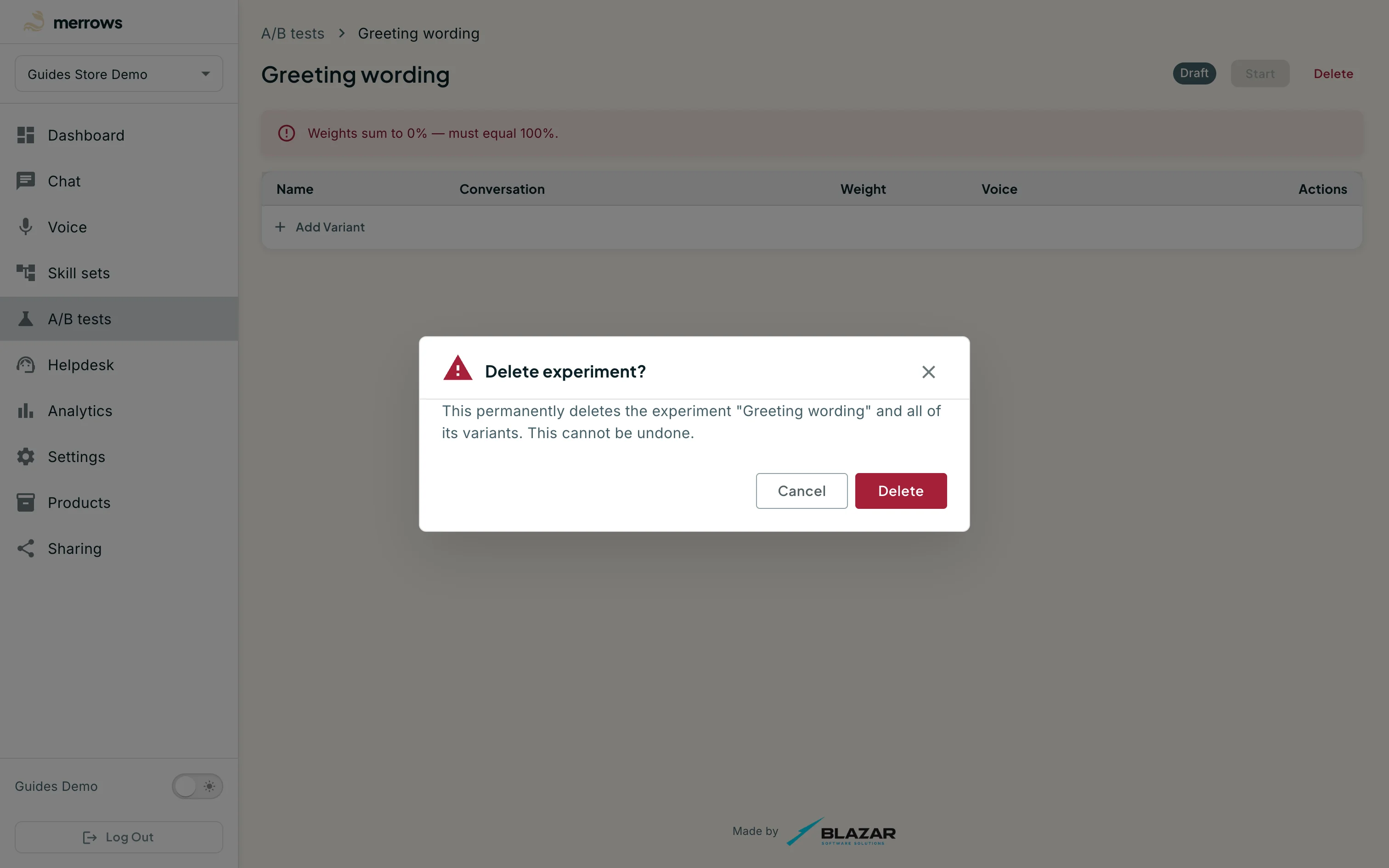
Action: Click Delete.
What you should see: A “Delete experiment?” dialog warns that the test and all of its variants go permanently. Click Cancel to keep it. Deleting a Draft removes it; a Running test must be concluded first, and a Concluded test keeps its results until deleted.