See the skill sets your AI employee runs, tell a standard skill from one you customised and publish a change.
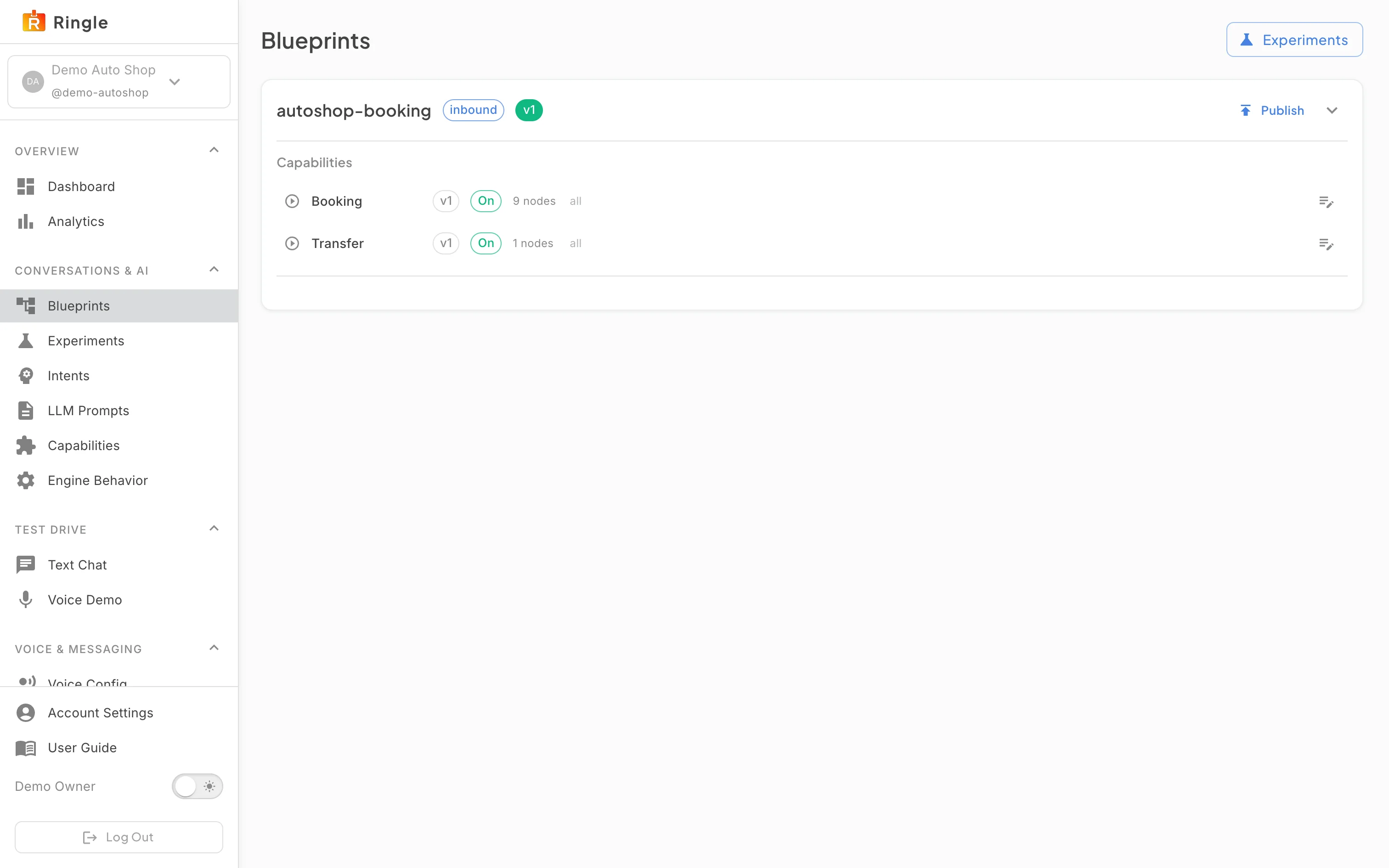
Action: Open Manage skill sets under Conversations & AI, or go to https://portal.merrows.ai/settings/conversations.
What you should see: The page opens with an A/B tests shortcut at the top, then one card per skill set, for example Ecommerce Support with its direction (inbound) and version. Each card has Publish, a details toggle and a Skills list: Order status, Cancellation, Return, Exchange, Subscription, Helpdesk and the rest. Every skill shows its version, Standard or Customized, On or Off and the number of steps, and the chip on the right names the channels it answers on (“all”, or one channel such as Voice). The pencil at the end of a row opens that skill in the editor; its label reads “Edit” and the skill’s name, for example “Edit Order status”.
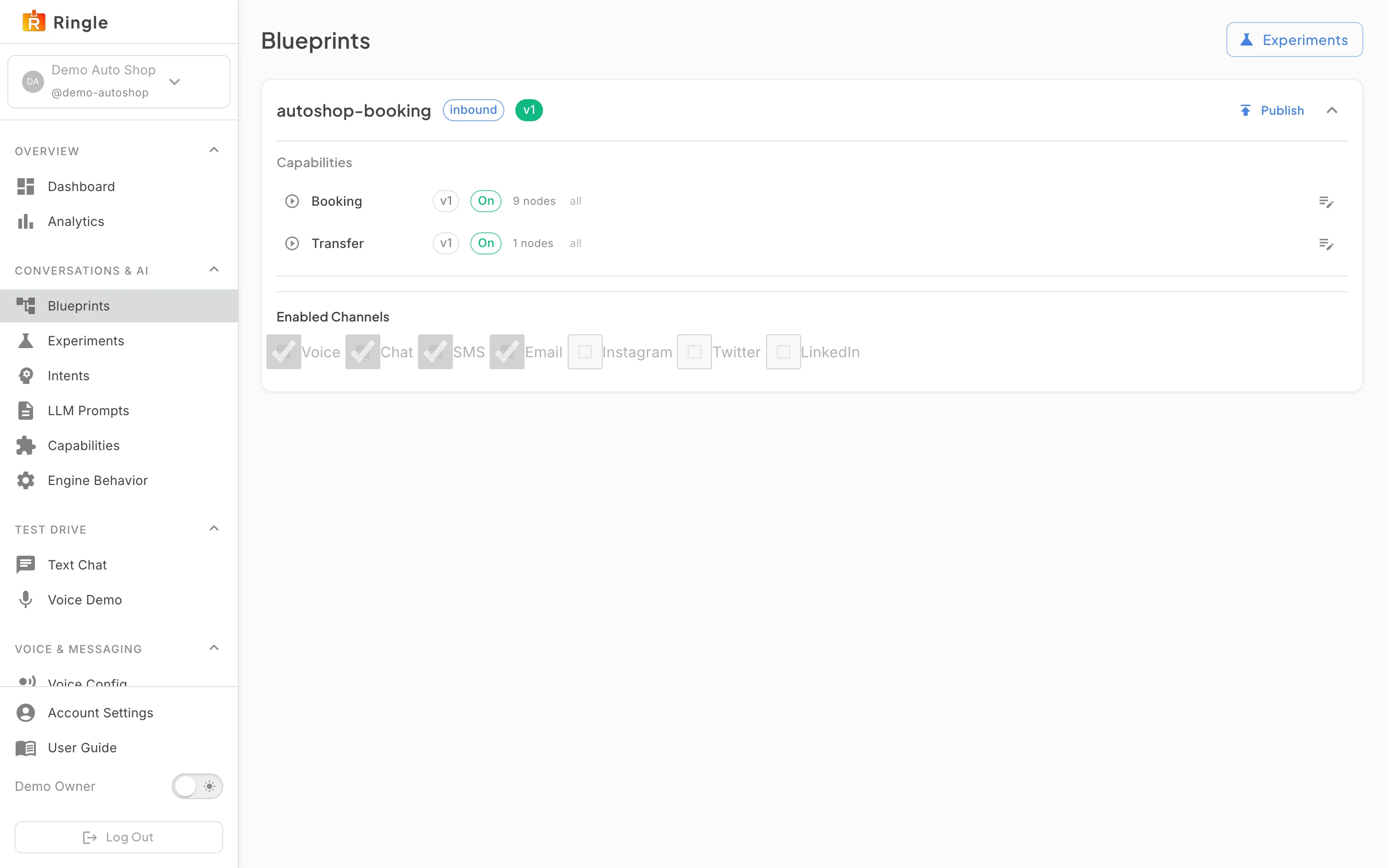
Action: Expand a skill set’s details.
What you should see: “Answers on” appears under the skills with a tick box per channel your plan includes, here Voice, Chat, SMS and Email. Untick a channel and, after publishing, customers cannot reach this skill set there; at least one channel stays on. A channel your plan does not include shows an Add button instead of a tick box. Changing a tick shows Save and publish, which publishes the new channel mix straight away. In the list, a Standard skill is the one Merrows ships for your industry and is updated by Merrows; a Customized skill is your own copy, made the first time you saved an edit, and keeps your changes until you reset it.
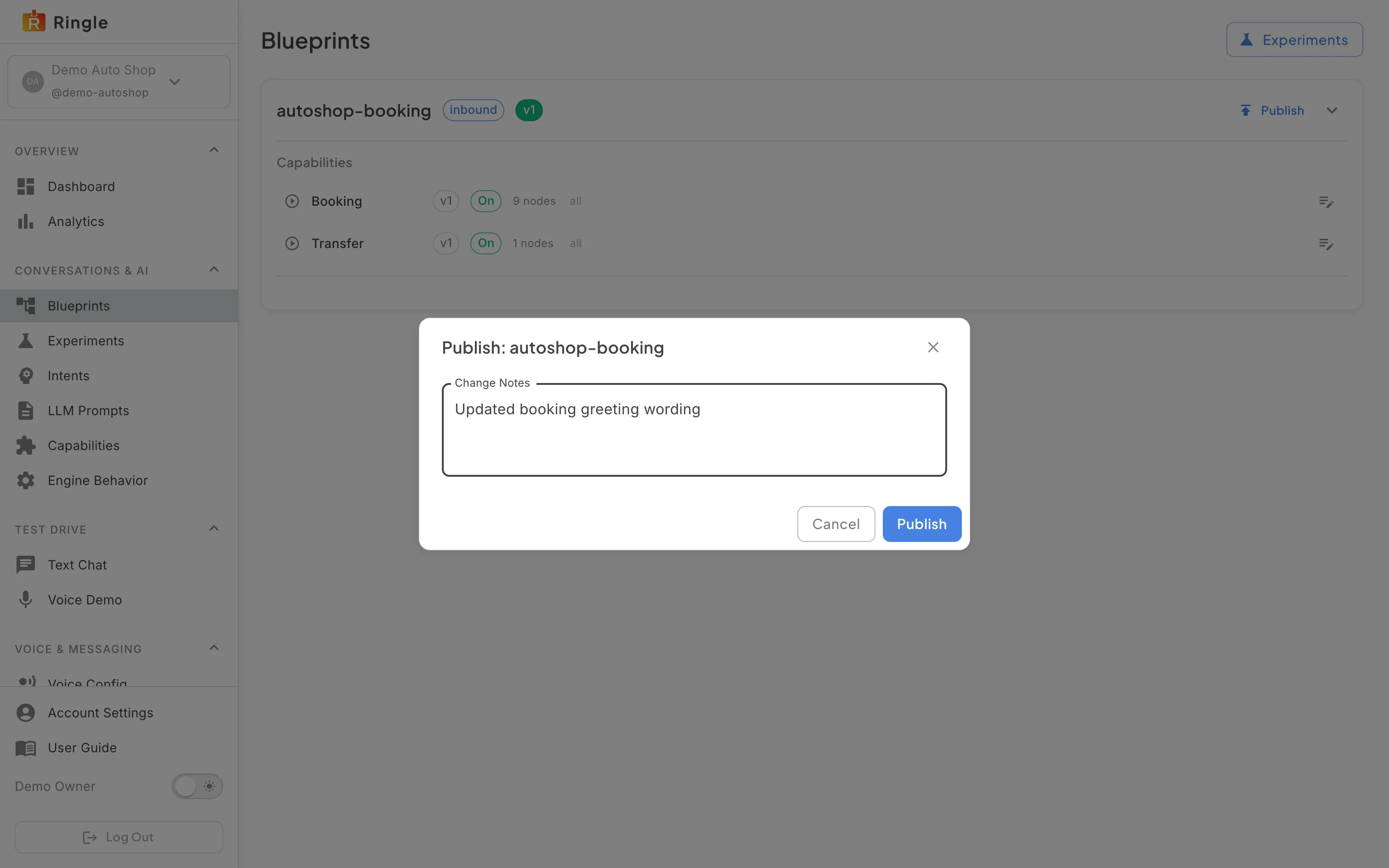
Action: Click Publish on a skill set.
What you should see: A “Publish: ecommerce-support” dialog asks for change notes describing what changed in this version, with Cancel and Publish. Publishing composes the set and switches every channel to it at once; customers hear the new version on their next conversation. Cancel keeps the draft unpublished.