Read how your AI employee is doing: which requests it handled on its own, where customers got stuck or left, what each conversation looked like, how satisfied customers were, and the detail behind every scored task.
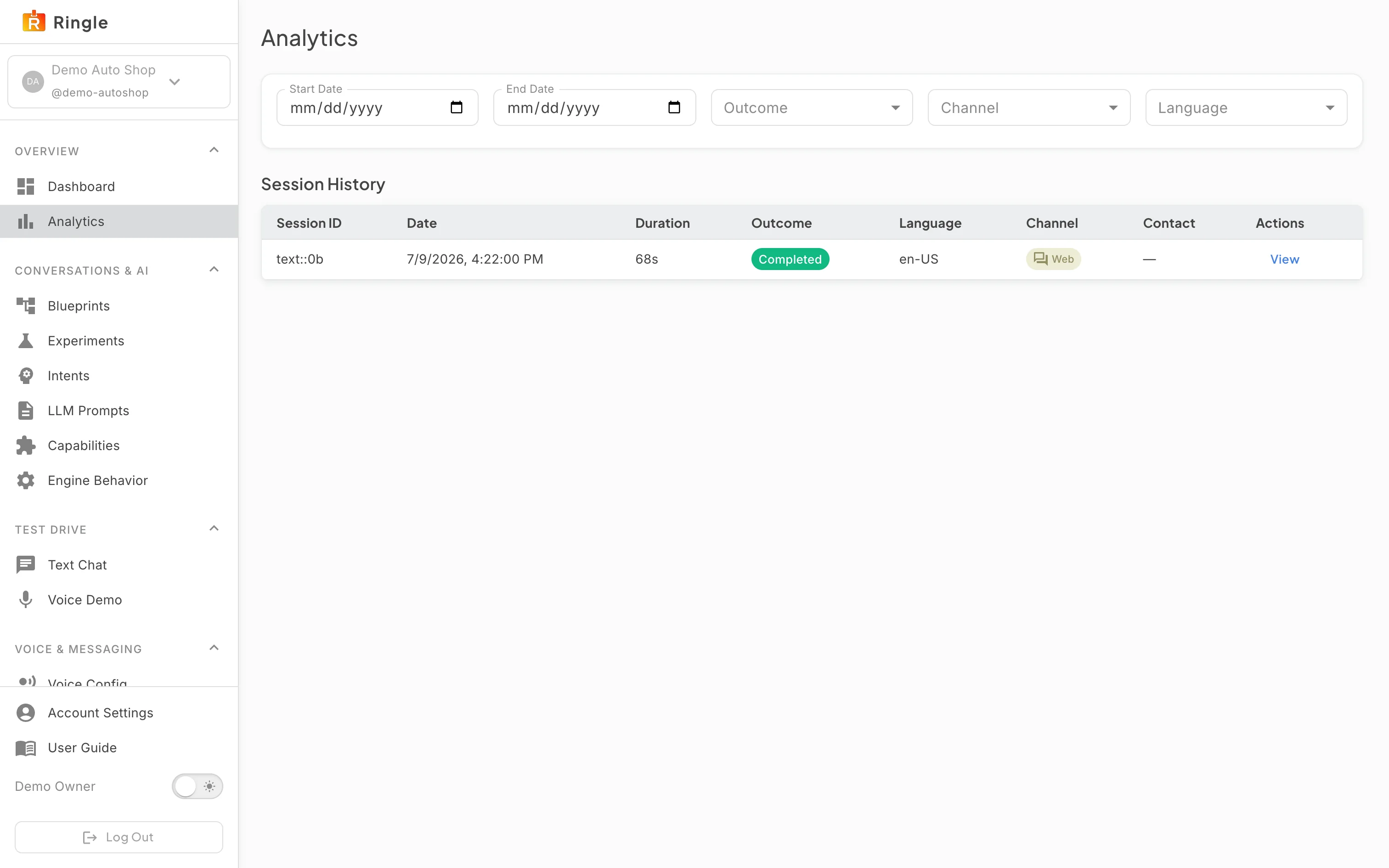
Action: Open Analytics under Overview, or go to https://portal.merrows.ai/analytics.
What you should see: Four tiles score the requests in the range: Handled without you, Got stuck, Customer left, and Passed to you as designed, each with an About button that explains the measure, and a chart of the same outcomes by day. Tiles score individual tasks; one conversation can hold several. “What it completed” counts the actions the assistant finished in your systems, such as Search orders, Check order status, Returns started and Get subscriptions; select a number to see those conversations. “Needs your team” shows handoffs that reached your team, could not reach it, or were not recorded, and “This billing period” shows billed conversations against your plan. Below are the date range, Outcome, Channel and Language filters and the Recent conversations table, with the date, duration, outcome, language, channel, contact and a View button per row.
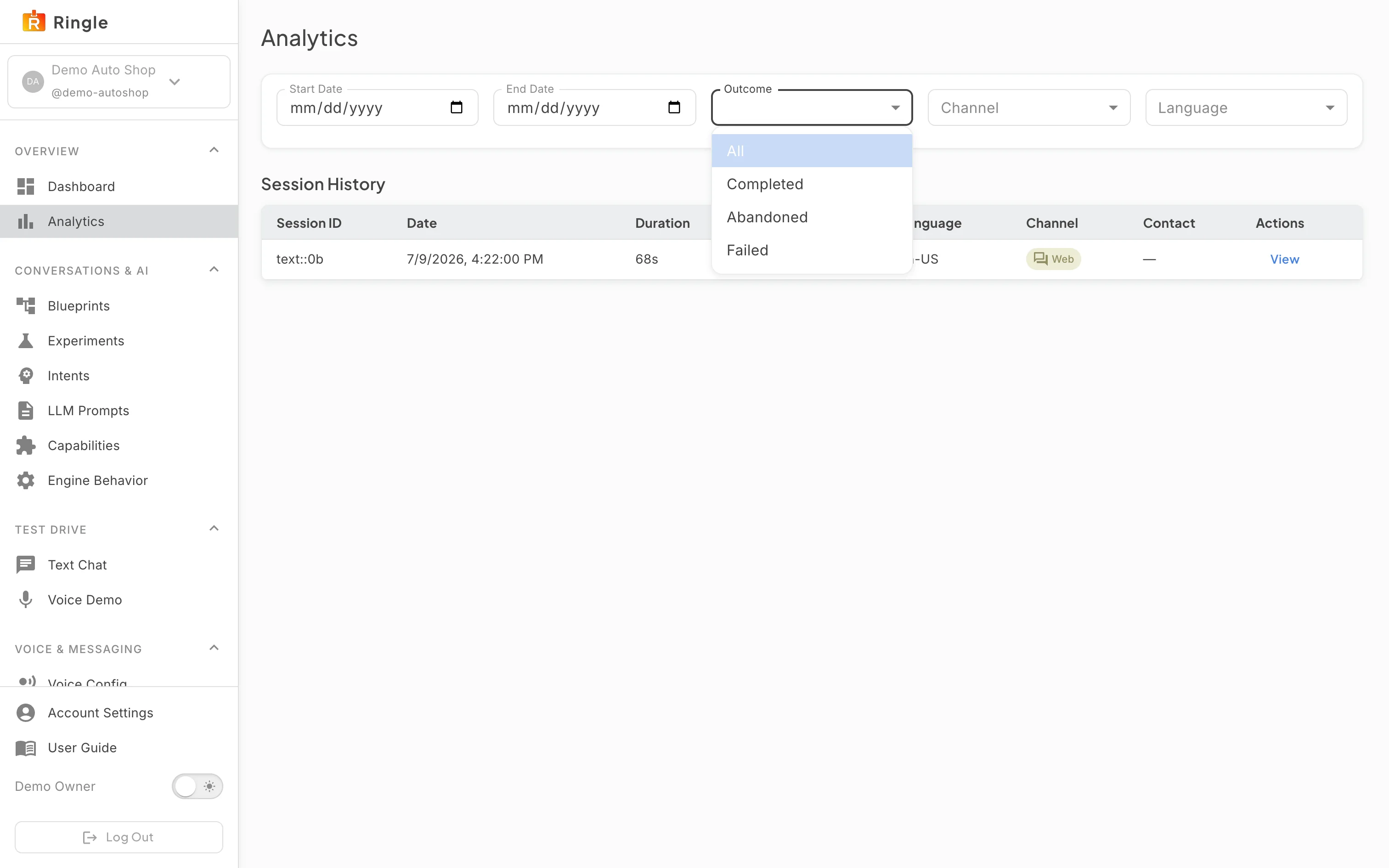
Action: Click View on a row in Recent conversations.
What you should see: The Session Detail page opens: the session card with the language, start and end times, outcome and number of turns, and the transcript with every turn and its time. Each reply names the step that wrote it, for example “From the step Show the orders found, in Order status”, with a Change this reply link to that step in the editor. Save this conversation as a check opens the editor on the skill the conversation ended in, ready to keep it as a check. Back to Analytics returns to the list with the same filters.
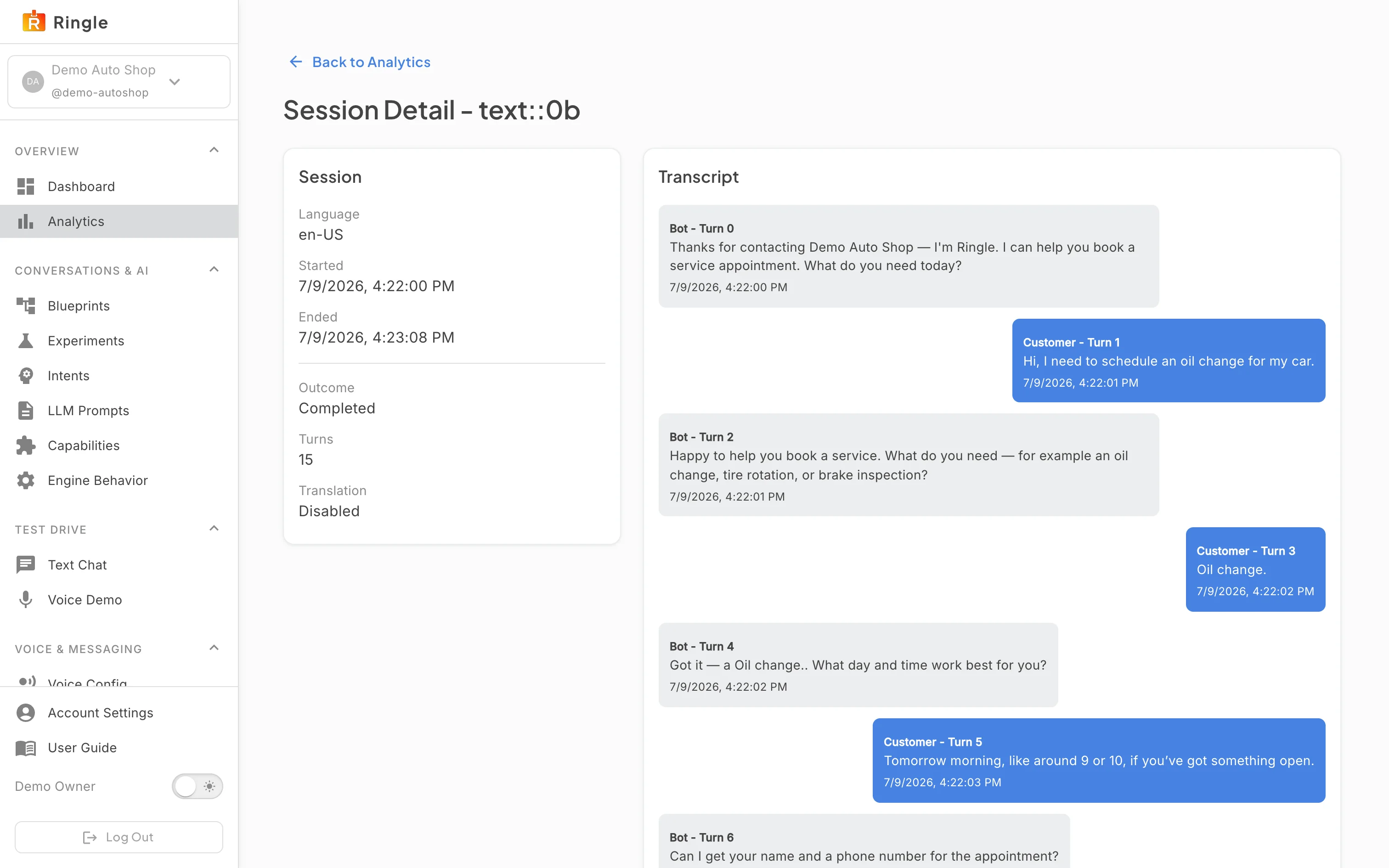
Action: Change the date range or a filter.
What you should see: The Outcome list offers All, Completed, Escalated, In progress and Abandoned; Channel and Language narrow the same way. The tiles, the chart and the table follow the filter together, so the numbers and the list always describe the same conversations.
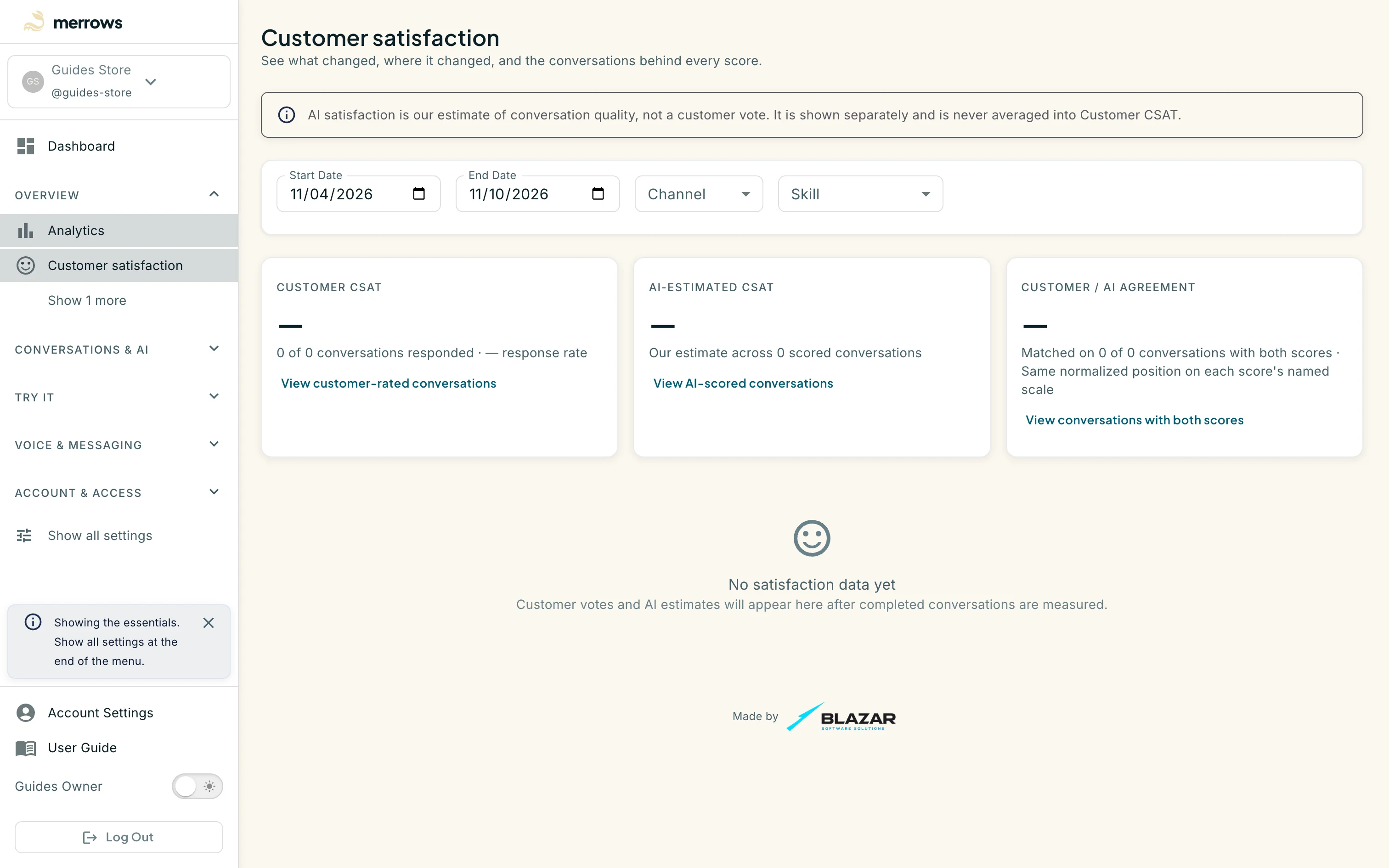
Action: Open Customer satisfaction under Overview, or go to https://portal.merrows.ai/analytics/satisfaction.
What you should see: Three scores for the range: Customer CSAT from customers who rated a conversation, AI-estimated CSAT from Merrows’ own estimate of conversation quality, and the agreement between the two where both exist. Each has a link to the conversations behind it, and the page filters by date, channel and skill. The estimate is shown separately and never averaged into customer votes. Until a completed conversation has been measured, the page reads “No satisfaction data yet”.
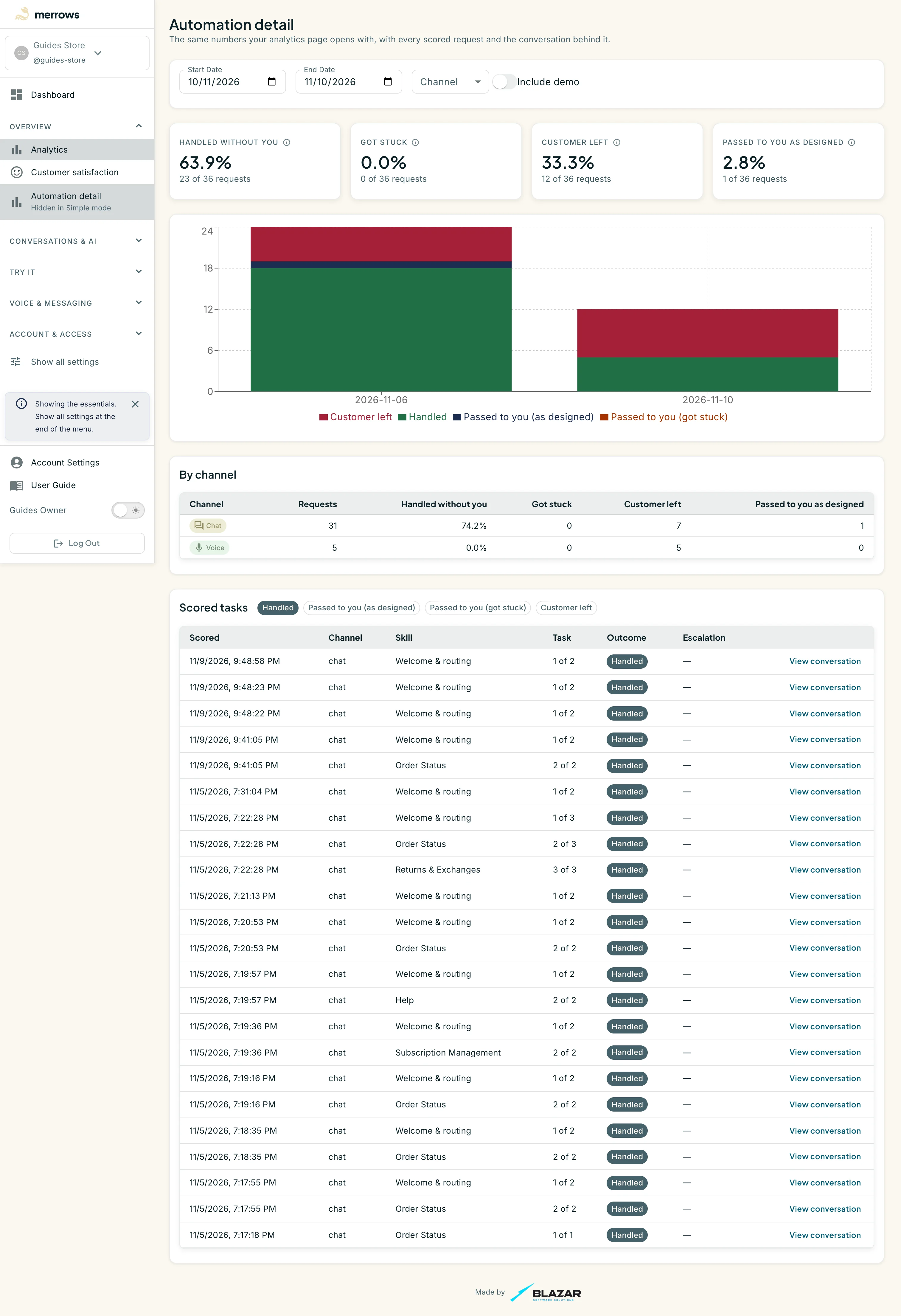
Action: Open Automation detail under Overview, or go to https://portal.merrows.ai/analytics/automation.
What you should see: The same four measures as the analytics page open with, the chart by day, a By channel table with the requests and outcomes for chat, email and voice, then Scored tasks: pick Handled, Passed to you (as designed), Passed to you (got stuck) or Customer left to list every scored request of that kind, with its channel, skill, task number, outcome and a View conversation link. Include demo adds conversations from the demo workspace.
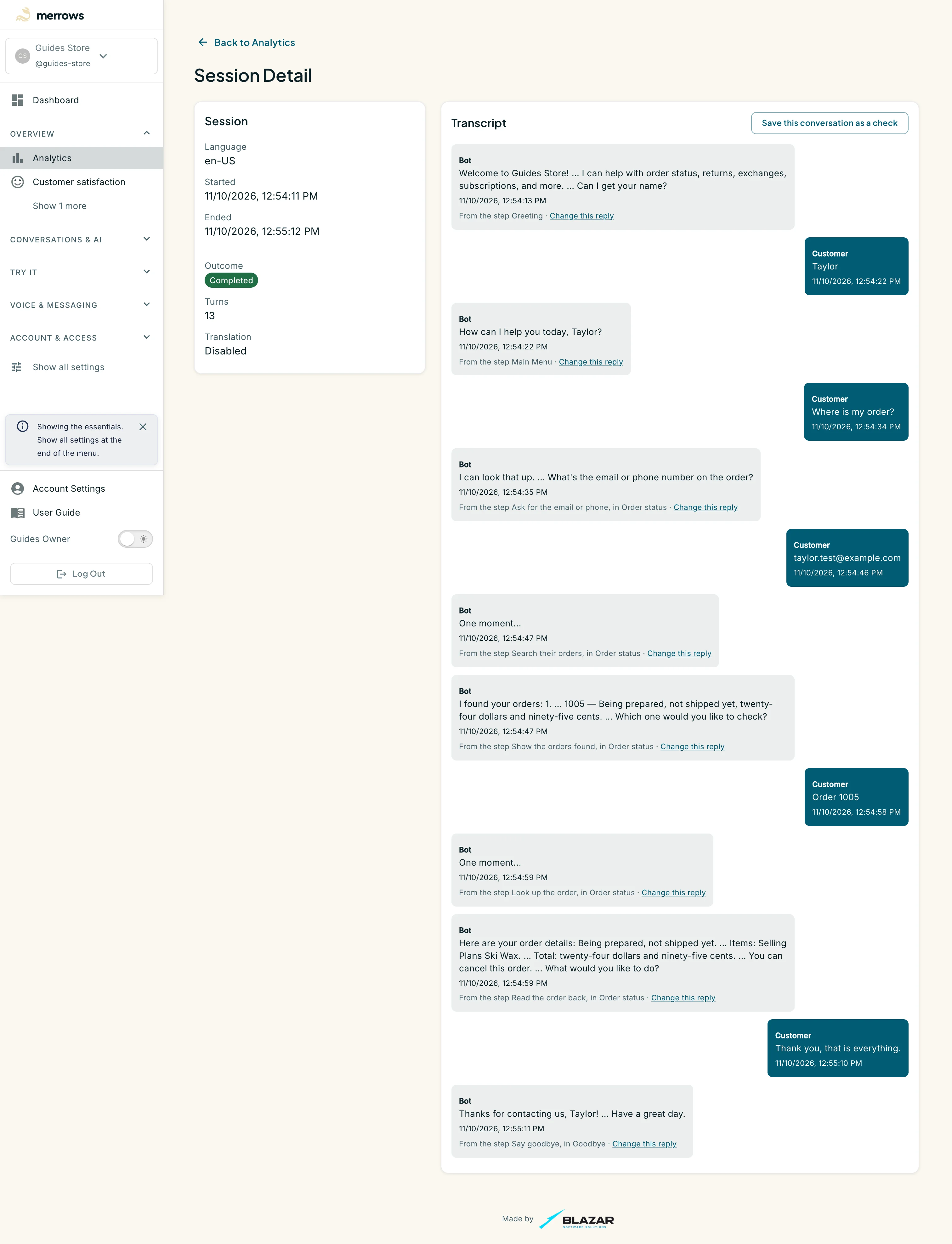
Action: Back on Analytics, click View on a phone conversation, one whose Channel reads Voice.
What you should see: The same Session Detail page for a call. The transcript shows what the assistant said as text, with “…” where it paused while speaking, and the caller’s words as they were heard. Each reply names the step that wrote it, with its Change this reply link, just as in a chat.